PostAnything does that job for you. We go from voice memo to social media post in one go: record or upload the memo, and we write a separate post for Facebook, Instagram, LinkedIn, Pinterest, X (formerly Twitter), Threads, Bluesky, TikTok and YouTube, then publish it now or at the time you pick. It's audio to caption AI that doesn't stop at the caption.
Below: the exact steps, a before-and-after example, and what each platform actually lets you post as audio (not much).
Okay, quick one.
1The new single-origin beans finally landed, the ones from that little co-op. Honestly, they taste like blueberries.
2We're roasting the first batch Saturday morning and people can come watch.
Oh, and
3the first fifty bags get a free tasting card.
Let's get that out there.
Struck out = filler PostAnything leaves out
Our new single-origin beans hit the roaster for the first time this Saturday. Yes, they really do taste like blueberries. Come watch. ☕
A coffee we've been waiting on finally arrived this week: a small-lot single origin from a little co-op, with a clear blueberry note.
Saturday morning plans? ☕ We're roasting our first batch of new single-origin beans, and you're welcome to come and watch. The first 50 bags come with a free tasting card!
Blueberry notes… from a coffee bean? 🫐 Our new single-origin gets its first roast this Saturday morning. Come watch, and grab one of the first 50 bags for a free tasting card.
Plus Pinterest, Threads and Bluesky. Add a video for TikTok and YouTube. All of it counts as 1 post.
How to Go From Voice Memo to Social Media Post, Step by Step
Once your accounts are connected, a voice memo post needs just four steps from you, and PostAnything writes every caption in seconds.
The short version
- Open New Post and choose the Audio Note tile.
- Click Record now and talk, or Upload a file.
- Click Generate.
- Choose Post Now or a time, then click Schedule Post.
Everything else below is one-time setup or optional, and labelled that way.
Here's the whole path, from signing up to a published post.
- One-time Click Start Free Trial on postanything.ai. You get 5 free posts (each one publishes to every platform you connect), with no credit card and no time limit.
- One-time Open Connected Accounts in the sidebar and sign in to each platform. Facebook connects your Pages, not personal profiles. Bluesky uses an app password, and the Create an app password on Bluesky link shows you how.
- Optional Open Voice & Style if you'd like PostAnything to learn how you write first. We cover it further down.
- Click New Post in the sidebar.
- Choose the Audio Note tile. It's a Pro feature, and the free trial includes it.
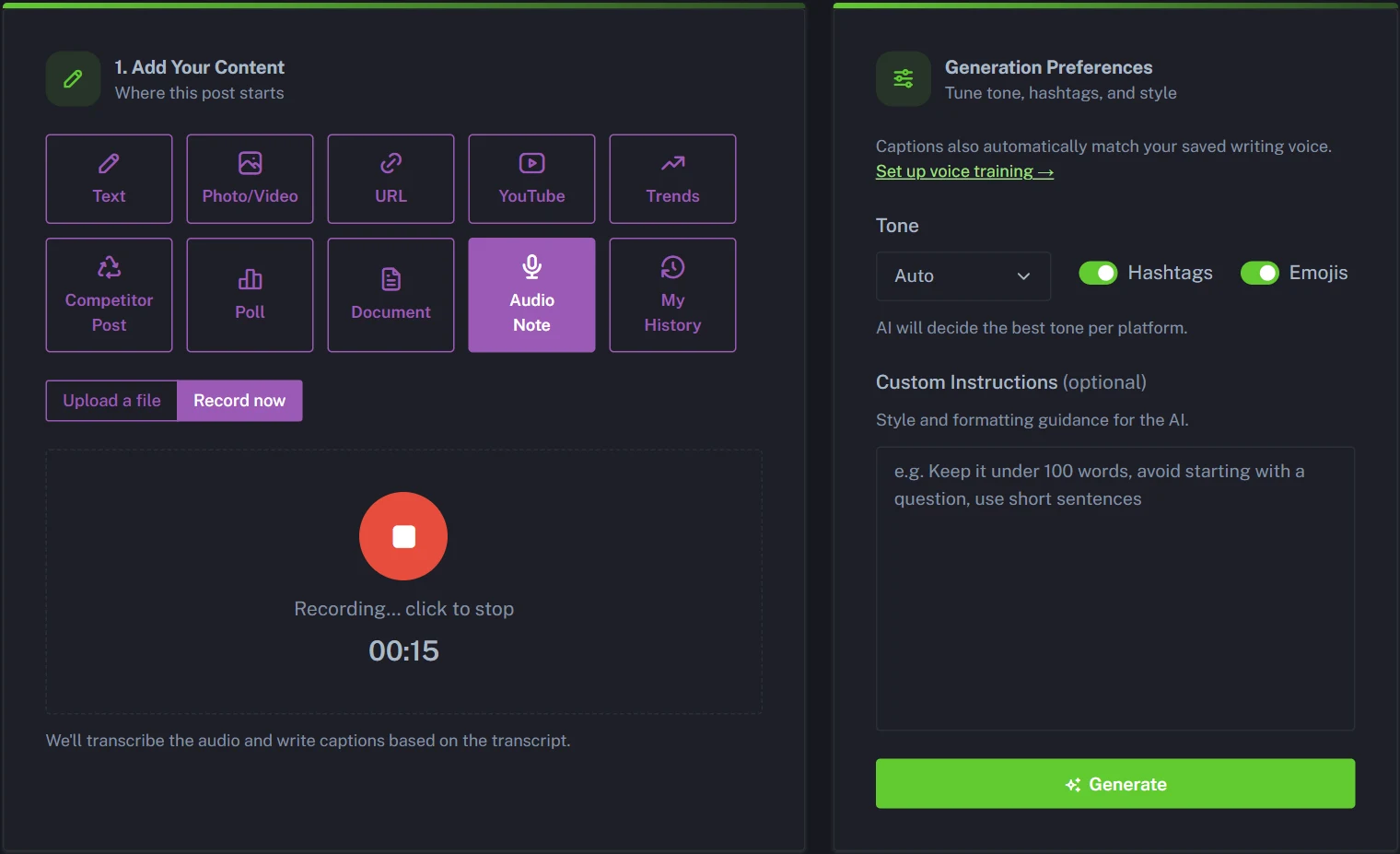
- Click Record now to talk straight into your browser, on a laptop or your phone, for up to 10 minutes. Already have a recording? Click Upload a file instead. It takes MP3, M4A, WAV, OGG and WEBM files up to 24MB, which is roughly 15-20 minutes of speech.
- Optional Set your Generation Preferences: pick a Tone (or leave it on Auto), keep or turn off the Hashtags and Emojis switches, and add any Custom Instructions, such as "Always end with a question."
- Click Generate. PostAnything transcribes your recording and writes a caption for each platform.
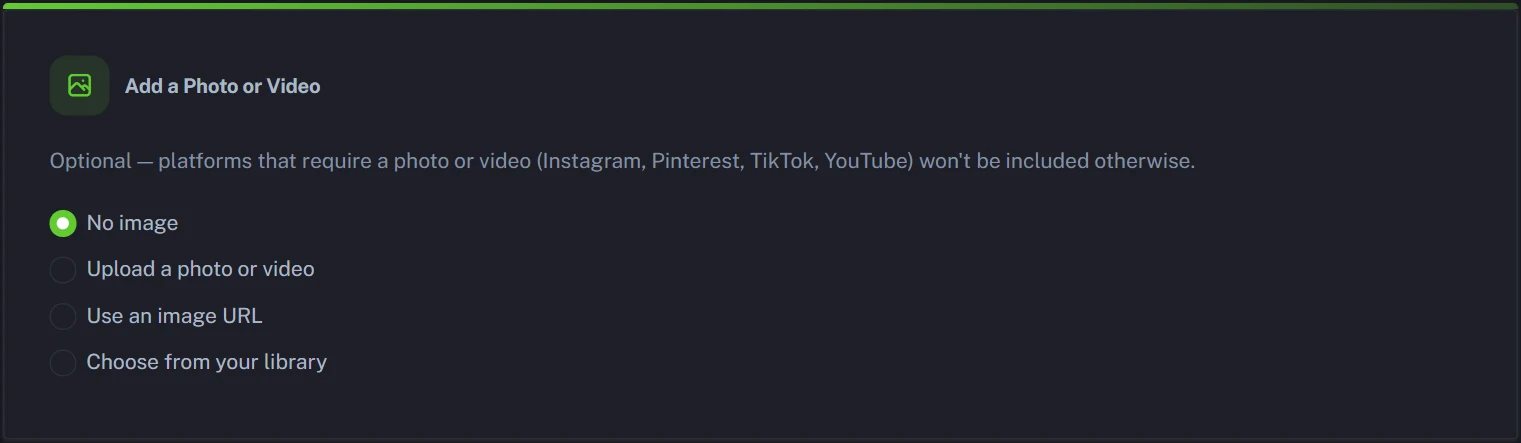
- Optional Add media in the Add a Photo or Video card if you want Instagram, Pinterest, TikTok or YouTube included. Pick Upload a photo or video, Use an image URL, or Choose from your library (Pro, and included in the trial). Captions for those platforms are written as soon as the right media is attached. Skip this and the post goes out as text to Facebook, LinkedIn, X, Threads and Bluesky.
- Optional Review the caption cards in Step 2 and edit anything you'd like to change. The refresh icon rewrites a single platform, and the switch on a card leaves that platform out of this post.
- Choose Schedule for Later or Post Now, then click Schedule Post.
One thing to know up front: PostAnything turns your audio into written posts. It doesn't publish the recording itself, which, as you'll see below, is how most platforms prefer it anyway.
One Voice Memo, Nine Platform Posts: A Before-and-After Example
Say you run a small coffee roastery and record this on the drive in:
"Okay, quick one. The new single-origin beans finally landed, the ones from that little co-op. Honestly, they taste like blueberries. We're roasting the first batch Saturday morning and people can come watch. Oh, and the first fifty bags get a free tasting card. Let's get that out there."
That memo goes into the Audio Note tile. A photo of the beans covers seven platforms. To bring in TikTok and YouTube too, we attached a short clip of the beans pouring into the roaster instead (a post carries one photo or one video). Here's what comes back as caption cards in Step 2:
XOur new single-origin beans hit the roaster for the first time this Saturday. Yes, they really do taste like blueberries. Come watch. ☕
A coffee we've been waiting on finally arrived this week: a small-lot single origin from a little co-op, with a clear blueberry note. We're roasting the first batch on Saturday morning, and the doors are open if you'd like to see how it's done.
Saturday morning plans? ☕ We're roasting our first batch of new single-origin beans, and you're welcome to come and watch. The first 50 bags come with a free tasting card!
Blueberry notes… from a coffee bean? 🫐 Our new single-origin gets its first roast this Saturday morning. Come watch, and grab one of the first 50 bags for a free tasting card. #SingleOrigin #CoffeeRoasters #FreshRoasted
Single-origin coffee from a small co-op, with a natural blueberry note. First roast this Saturday morning, and the first 50 bags include a free tasting card.
ThreadsReal talk: we have a coffee that tastes like blueberries 🫐 Our new single-origin beans get their first roast Saturday morning, and you're welcome to come watch. #SpecialtyCoffee
BlueskyOur new single-origin beans from a little co-op finally landed, and yes, they taste like blueberries. First roast is Saturday morning. Come watch! ☕
TikTokPOV: the new beans smell like blueberries 🫐☕ This single-origin gets its first roast this Saturday morning. Come watch, and the first 50 bags get a free tasting card! #CoffeeTok #CoffeeRoasting #SingleOrigin #SmallBusiness
YouTubeFirst roast of our new single-origin beans. Do they really taste like blueberries? 🫐 Come and watch the next batch live on Saturday morning. #Shorts #CoffeeRoasting
The "ums" are gone, X got the short version, LinkedIn got the story and Instagram got the hashtags. If the product already has a page online, our AI product post generator can work straight from that link instead.
More Than Voice Memos: Podcast Episodes, Interviews and Event Recaps
Audio Note works with any recording of someone talking, not just notes to yourself. Each recording becomes one post, written for every platform you've connected and counted as 1.
Promote your latest podcast episode
A new episode deserves more than one "new episode out now" post. A full episode is usually bigger than the 24MB upload limit, so use Upload a file for the trailer or the 10-15 minutes with the best conversation. Or click Record now and spend a minute telling listeners what the episode covers and why it's worth their time. Either way, the captions are built from what's actually said, so they share real ideas from the episode instead of repeating its title.
Put your episode link in Link to add to the post in Step 1, and PostAnything adds it to the end of every caption. If you're on Apple Podcasts, you can link straight to a single episode rather than the whole show. Attach your cover art as the photo for Instagram and Pinterest, or a short clip from the recording for TikTok and YouTube.
Interviews, webinars and talks
Recorded a customer interview, a webinar or a talk you gave? Upload the part with the strongest point and you'll get posts that share the takeaway, in your brand's voice. If someone else is speaking, check they're happy to be quoted before you publish.
Event recaps and behind-the-scenes updates
Just walked out of a trade show, a workshop or a busy market day? Record the highlights on your phone while they're fresh: who you met, what sold out, what surprised you. It's the kind of update followers like and that rarely gets written up once you're back at your desk.
Quick tips and how-tos
Explaining something out loud is often easier than writing it. Talk through one question your customers keep asking, and you've got a helpful post for every platform.
Audio to Twitter: Voice Posts vs. Written Posts on X
If you searched for how to post audio to Twitter, you probably wanted the recording itself on your timeline. X does have a native option: the Twitter voice tweet, now called a voice post. X describes it as a feature it's still testing in the X for iOS app. You tap the voice icon in the composer and record up to 2 minutes and 20 seconds per post, and longer recordings get split into a thread. Elsewhere, the usual workaround is turning your audio into a video first.
A voice post also asks a lot of people mid-scroll: they have to stop and listen. A written post from the same memo can be read in seconds. That's the voice to tweet route PostAnything takes. Your memo becomes a short X post, written to fit X, and it goes out alongside the versions for the other eight platforms.
Instagram Voice Notes and Audio Captions for Instagram
An Instagram voice note is a DM feature. You hold the mic button in a chat, and it goes to that person or group, not to your followers. Instagram doesn't let you post an audio file to your feed on its own; it wants a photo or a video.
So the useful move is turning your voice into a caption. Record your thoughts, and PostAnything will write captions for Instagram in Instagram's style, with a hook up top and hashtags if you've left them on. Attach a photo or video in the Add a Photo or Video card, because every Instagram post needs one. Think of it as audio captions for Instagram: your words, tidied up, sitting under your picture.
LinkedIn Voice Message or a LinkedIn Post That Sounds Like You?
LinkedIn voice messages live in LinkedIn Messaging. They're up to a minute long, they go to 1st-degree connections or group chats, and you can only record them in the mobile app. A LinkedIn voice note is great for a warm follow-up, but it won't appear in anyone's feed.
For the feed, you need a post. If you've tried LinkedIn AI posts before, you know the risk: they can read like everyone else's. Train Voice & Style first and your memo comes back sounding like you, opinions intact. For a lot of people, talking is simply the easier way to explain their work, so a two-minute ramble about a client problem can make a sharper post than one typed from scratch.
Audio to Facebook and TikTok: What Actually Gets Posted
Audio to Facebook runs into the same wall. Facebook posts are built around text, photos and video, so a voice memo normally has to become a video, or a link to wherever the audio is hosted, before it can go in a post.
PostAnything skips the conversion. Your memo becomes a written post on your Facebook Page, with or without a photo. That's the part a standalone AI post generator for Facebook leaves for you: actually getting it published.
TikTok works the other way round. Every TikTok post needs a video, so attach one and your voice memo becomes its caption. If you searched "voice to text TikTok," you were probably after on-screen subtitles for what's said in a video, and TikTok's own auto captions handle that. PostAnything writes the post caption that sits underneath.
Multi-Platform Social Media Posting From One Recording
Audio social media posts are still awkward almost everywhere, which is why turning your voice into text works so well. One recording becomes a post written for each platform's style and length, and they all go out together. A typical AI caption generator for social media hands you text and stops there; this is social media auto publish in the practical sense, with no copying and pasting between nine apps.
The media rules still apply. Facebook, LinkedIn, X, Threads and Bluesky are happy with text alone. Instagram and Pinterest need a photo or video, and TikTok and YouTube need a video, so those four are left out until you attach the right media. Once you do, PostAnything resizes it for each platform automatically: square for the Instagram feed and vertical for TikTok, while YouTube keeps your video's shape, so a vertical clip becomes a Short and a landscape one a regular video. There's no cropping on your side. See auto-resizing and the rest of PostAnything's features.
However many platforms one post reaches, it counts as 1 post.
Keep Your Brand Voice for Social Media When You Talk Instead of Type
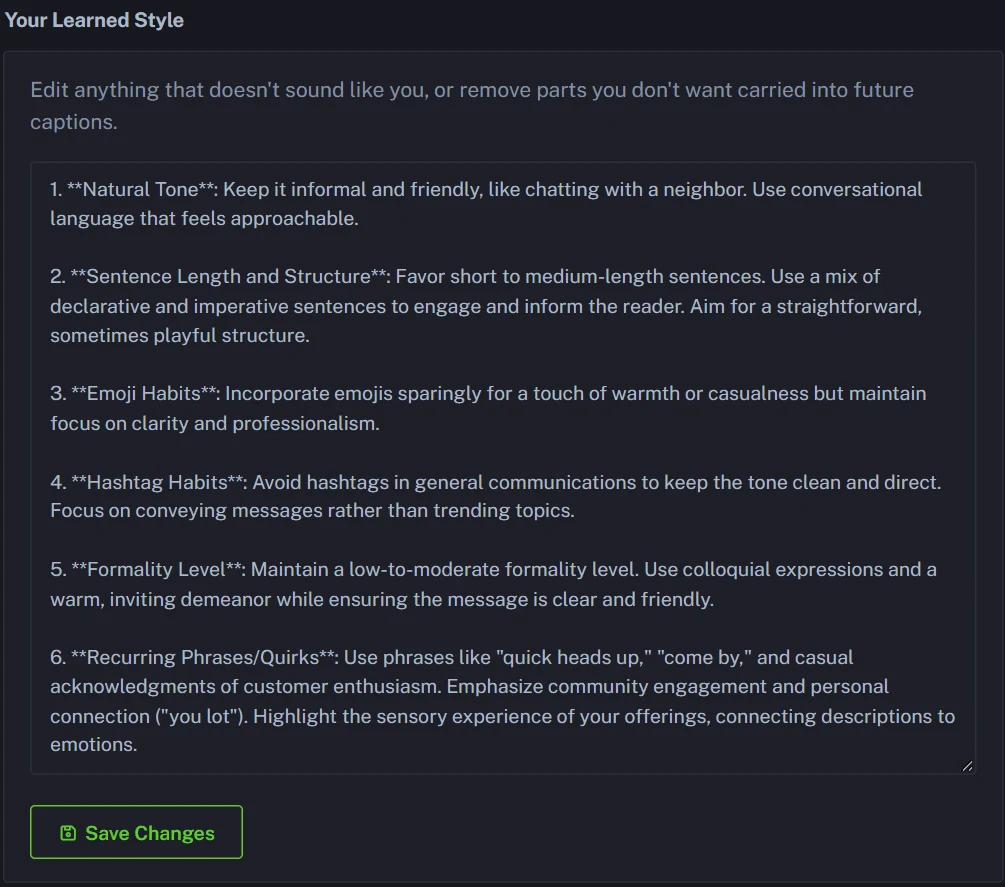
The worry with talking instead of typing is that AI irons you flat into generic marketing copy. Voice & Style is there to stop that. Pick a connected account under Learn From Your Posts and we read its recent posts for your tone, sentence style, emoji use and hashtag habits. You can add Custom Writing Samples too, like emails, DMs or captions you've written, then click Analyze.
The result appears under Your Learned Style, where you can edit it before clicking Save Changes. From then on it's applied to every caption, so your Tuesday voice memo sounds like the person who recorded it. That's brand voice for social media without re-explaining yourself every time.
Tips for a voice memo that makes a good post
- Lead with the news. Say the main point in your first sentence, the way you'd tell a friend. Each post is built around what matters most, and a clear opener makes that easy to find.
- Say names and numbers clearly. Product names, prices, dates and times come through best when you say them once, slowly. Check them in the caption cards before you schedule.
- One idea per memo. A memo with three announcements becomes a post that tries to say three things. Record three short memos instead. Each becomes its own post and counts as 1, however many platforms it goes to.
- Don't re-record for the "ums". Filler, false starts and "let's get that out there" don't end up in your posts, so the first take is usually fine.
- Already recorded it on your phone? Phone voice recorder apps usually save M4A files, which Upload a file takes as they are.
Looking for Castmagic Alternatives for Short Voice Memos?
Castmagic is an AI content repurposing tool built around long-form audio and video. It generates transcripts, show notes, blog drafts and social posts, and prices by how many hours of audio you process. If you want to repurpose podcast content a full episode at a time, that's its home turf.
PostAnything sits at the other end. Audio Note takes uploads of roughly 15-20 minutes and records up to 10 minutes in your browser, so it suits voice memos, quick updates and podcast clips rather than 90-minute episodes. Our focus is the last step: posts for all 9 platforms, published for you. If your show is also on YouTube, see how we turn a YouTube video into social media posts. And if you write show notes, turning a blog post into social media posts works the same way.
Which PostAnything Plan Fits Voice-First Posting?
Audio Note is part of Pro, so Pro is the plan to choose if you think out loud. It's $29 a month, or $23 a month billed annually, for 300 posts a month, and each one goes out to every platform you've connected while counting only once. For a one-person social media content creator for a small business, that's room to spare.
Want to try it first? The free trial includes every feature, Audio Note too, with 5 free posts that each publish to all your platforms. Agency, at $99 a month or $79 a month billed annually, covers 5 brands with 300 posts a month per brand (one post to every platform still counts once). Basic doesn't include Audio Note. Compare PostAnything's plans and pricing side by side.
Turn Your Next Voice Memo Into Posts Today
You don't need to become a faster typist to post more often. Record the idea while it's fresh, let PostAnything turn it into posts for every platform you use, and check them before they go out. It's a simple way to scale content creation without adding hours at the keyboard. Curious about the rest? Here's everything our AI social media manager does.
5 free posts, each one sent to all your connected platforms, and no credit card needed.
Start your free trial