That means Facebook, Instagram, LinkedIn, Pinterest, X (formerly Twitter), Threads, Bluesky, TikTok and YouTube. Instagram, Pinterest, TikTok and YouTube only take posts with media, and TikTok and YouTube need video specifically, so starting with a video lets all nine take part. Below, we cover what cross-posting means for your reach, where your clip ends up on each app, and how to post videos on multiple platforms at once with our AI social media scheduler.
Hook first, a few hashtags after 🎬 #fyp
The story behind the clip, then "link in bio" ✨
Friendly and chatty, ending on a question
A first line that works as the title #shorts
What does cross-posting mean?
Cross-posting means publishing the same content to more than one social network. For video creators, it usually means sharing one short clip as a TikTok, an Instagram Reel, a Facebook Reel and a YouTube Short, instead of making four separate videos.
Cross-posting on social media is normal, and sharing your own videos on several apps won't get you penalized. What the platforms push down is content that's obviously recycled from elsewhere. In 2021, Instagram said it would make Reels carrying another app's logo or watermark less discoverable. In 2026 it went further, cutting recommendations for accounts that mostly repost other people's work. The takeaway: cross-post your own originals, and always upload the clean file.
The other giveaway is a copy-pasted caption. A caption written for TikTok reads oddly on LinkedIn, and a long Facebook caption won't fit on X. So PostAnything writes a different caption for each platform instead of repeating one everywhere.
Posting to TikTok, Instagram and YouTube at the same time: where your video lands
PostAnything resizes and optimizes your video for each platform when it publishes, so there's nothing to crop and no second export. It's one of the features that save you the busywork. Here's how each app files the upload.
TikTok
Your clip goes out as a regular TikTok video, with the caption written for TikTok. PostAnything publishes it straight to your profile as a public post, so there's no draft waiting in the TikTok app for you to finish.
Instagram Reels and Facebook Reels
Instagram has turned new video posts into Reels since 2022, and Facebook has followed. Meta announced that all videos on Facebook will be shared as reels, with no length or format restrictions. PostAnything publishes every video to Instagram as a Reel and to your Facebook Page as a Reel, so one vertical clip suits both. On Facebook, PostAnything posts to your Pages, not your personal profile.
How to upload Shorts on YouTube from a PC
YouTube decides what counts as a Short. Under YouTube's Shorts rules, any square or vertical upload of three minutes or less is categorized as a Short. Landscape or longer videos become regular uploads.
If you're only wondering how to upload to YouTube Shorts on its own, YouTube Studio does it:
- Sign in to YouTube Studio in your browser.
- Click Create in the top-right corner, then Upload videos.
- Select your vertical clip, fill in the details and publish.
That covers one platform. PostAnything also runs in your browser on a PC, and the same upload goes to Shorts, TikTok and Reels together. Keep your clip vertical and under three minutes, and it lands in Shorts.
X, Threads, Bluesky, LinkedIn and Pinterest
The same video can go to the other five in the same post, each with its own caption: a short line for X, something chattier for Threads, a more professional angle for LinkedIn. All five take video, and PostAnything prepares the file for each one when it publishes. If a platform ever turns a clip down, Post History shows which one and why, and the others still go out.
How to upload a video to multiple platforms at once (step by step)
The first time takes a little longer because you connect your accounts. After that, every video starts at New Post.
Once your accounts are connected, a video post needs just five steps from you, and PostAnything writes every caption in seconds.
The short version
- Open New Post and pick the Photo/Video tile.
- Upload your clip.
- Write one or two sentences about it in the Description field.
- Click Generate.
- Choose Post Now or a time, then click Schedule Post.
Everything else below is one-time setup or optional, and labelled that way.
Set up once: connect accounts and train your voice
- One-time Click Start Free Trial on postanything.ai and create your account.
- One-time Open Connected Accounts in the sidebar and connect TikTok, Instagram, Facebook, YouTube and any others you use. Most take one click. For Facebook, pick the Page you want to post to.
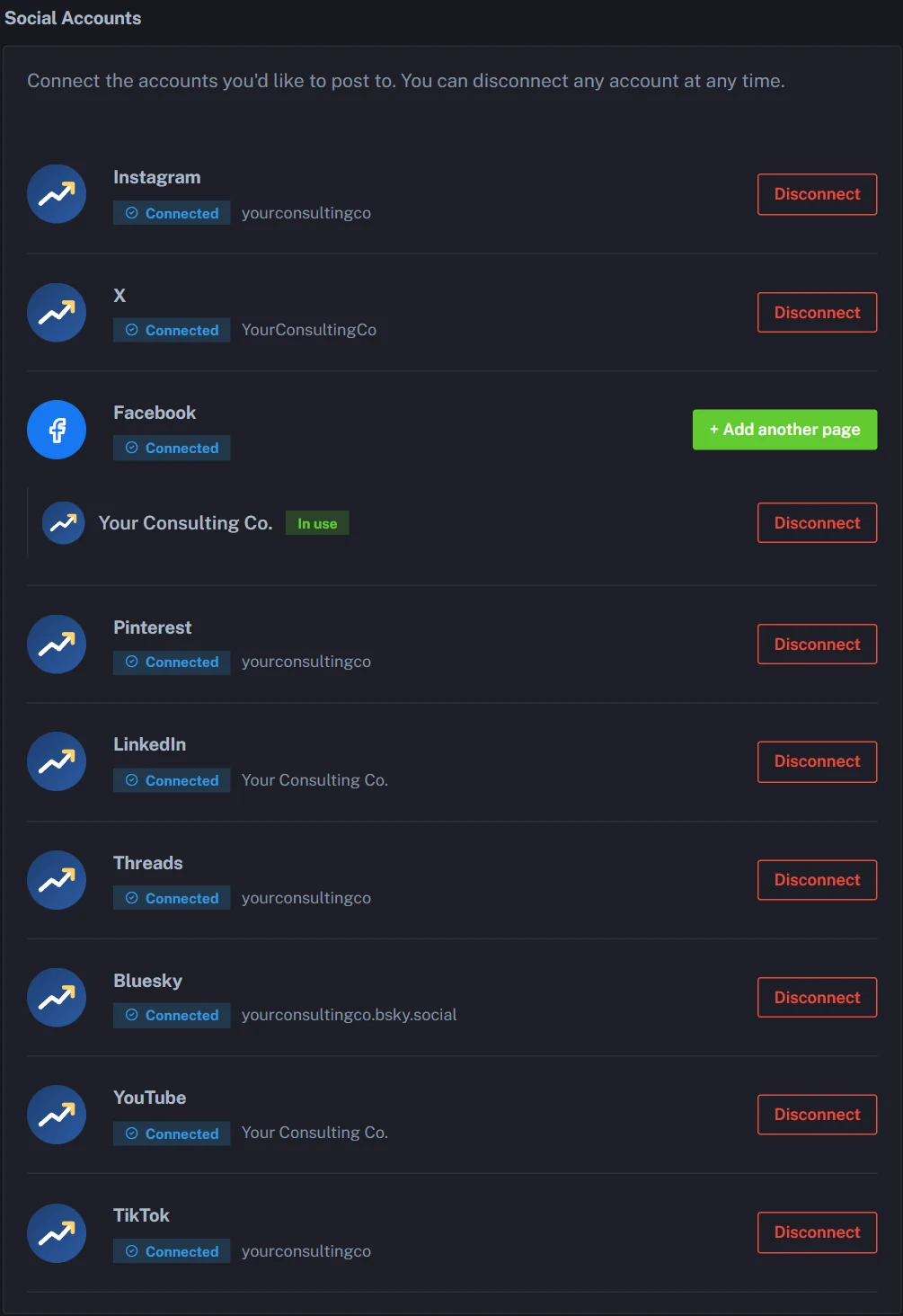
- Optional Open Voice & Style and choose an account under Learn From Your Posts, or paste a few of your own captions into Custom Writing Samples.
- Optional Click Analyze, check the result under Your Learned Style, then click Save Changes.
Post your video
- Open New Post from the sidebar and pick the Photo/Video tile.
- Upload your clip as an MP4, WEBM or MOV file (up to 100MB), and leave Attach to the post switched on.
- Write what happens in the clip in the Description field. Our AI doesn't watch the footage, so these one or two sentences are what your captions are built from. Mention anything you're promoting.
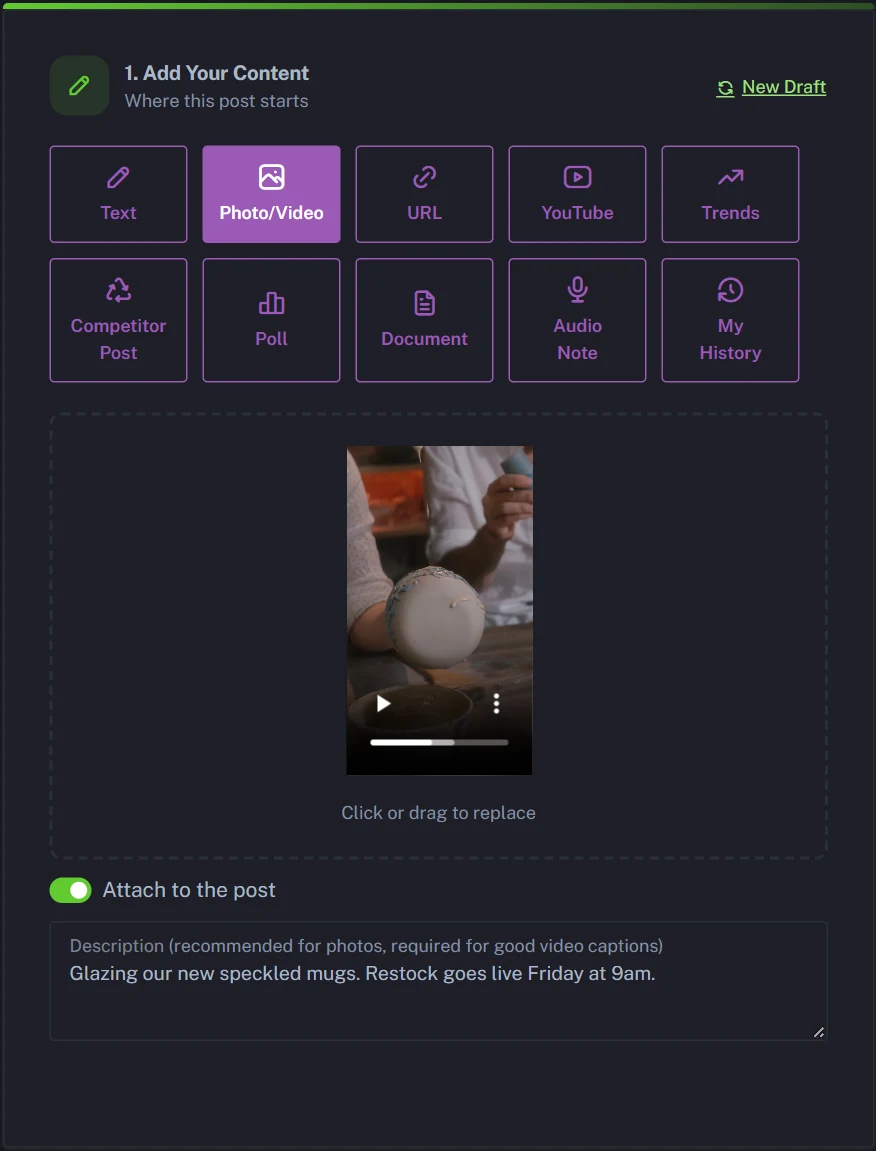
- Optional Set your Tone, the Hashtags and Emojis switches and any Custom Instructions. Skip this and Tone stays on Auto, with hashtags and emojis used only where they suit the platform.
- Click Generate.
- Optional Read each platform's caption card in Step 2: Review. Edit any line, use the refresh icon to rewrite one platform, or switch a platform off for this post.
- Optional Click Preview to check how the post will look.
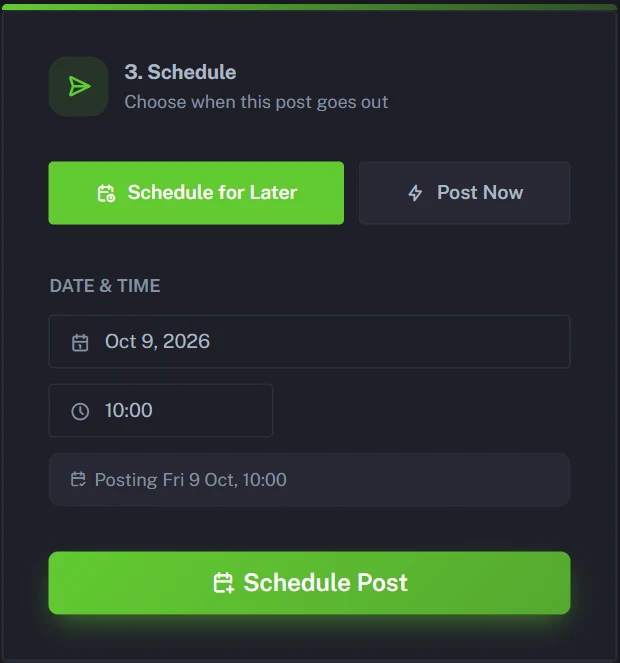
- In Step 3: Schedule, choose Post Now or Schedule for Later, then click Schedule Post.
- Optional Open Post History to follow it. Each post reads "Processing" until the platform confirms it, which can take a few minutes.
Whether your video goes to four platforms or all nine, it counts as one post on your plan.
Before and after: one video posted on multiple platforms at once
Say you run a small ceramics studio (an example, not a real customer) and filmed a 40-second vertical clip of mugs being glazed.
- Tile: Photo/Video
- Description: "Glazing our new speckled mugs. Restock goes live Friday at 9am."
- Tone: Auto
Here's what PostAnything wrote for each platform in Step 2, straight from that one description.
TikTokCheck out our new speckled mugs getting glazed! 🍵✨ Restock goes live this Friday at 9am. Set your alarms! #Mugs #Ceramics #Restock
✨ Excited to share our new speckled mugs getting glazed! They’ll be live for restock this Friday at 9am. Set your reminders! #Ceramics #Mugs #Handcrafted
YouTubeGet ready for a fresh batch! Our new speckled mugs are being glazed and will be available for restock this Friday at 9am. These beautifully handcrafted mugs are perfect for your morning coffee or evening tea. Don't miss out! Subscribe for more updates on our latest creations!
Hey everyone! Our new speckled mugs are being glazed and will be restocked this Friday at 9am. Make sure to grab yours before they go!
We’re thrilled to announce the restock of our speckled mugs this Friday at 9am. Perfect for your morning coffee or afternoon tea!
XNew speckled mugs are getting glazed!🎨 Restock drops this Friday at 9am. Don't miss out!
ThreadsJust finished glazing our new speckled mugs! They’ll be available for restock this Friday at 9am. Can’t wait for you all to see them!
BlueskyOur speckled mugs are getting some love with a fresh glaze! Stock up on Friday at 9am.
Discover our new speckled mugs, freshly glazed and ready for their big debut! They’ll be available for restock this Friday at 9am. Perfect addition to your tableware collection. #Ceramics #HomeDecor
On YouTube, the caption's first line becomes the video's title (shortened if it's long), and the whole caption becomes its description.
Same clip, nine captions that each sound at home on their app, and none of them typed by you.
Repurposing videos from TikTok without the watermark penalty
Repurposing videos works best from the original file. If you edit in an app or on your camera roll, export the clean version and upload that, not a copy saved back from TikTok with its logo on it. That one habit keeps your Reels eligible to reach people beyond your followers.
Keep the clip vertical and under three minutes if you want it to count as a YouTube Short. Want to post on Instagram and TikTok at the same time, then add Shorts later? Switch YouTube off in Step 2 and include it in a second post.
Already have a long video live on YouTube? That's a different job. See how PostAnything handles turning a YouTube video into social media posts.
Apps to post to all social media: what to check before you choose
If you're working out how to post across all social media without the daily upload grind, there are plenty of tools to choose from. Before you pick a social media cross-posting tool, check five things.
- Real auto-publishing. Some apps send a phone reminder for certain platforms and leave the last tap to you. Social media auto publish should mean the video goes out on schedule while you're busy. PostAnything publishes to all nine directly, TikTok included.
- Native video uploads. The file itself should land on each platform, not just a link to it.
- Captions per platform. Pasting one caption everywhere is the fastest way to look like a bot.
- The platforms you actually use. Multi-platform social media posting only helps if your networks are covered. PostAnything covers all 9.
- How posts are counted. Some plans charge per platform. On PostAnything, one video sent everywhere is one post.
Which plan fits posting video everywhere?
Start with the free trial: 5 free posts, and each one publishes to all your connected platforms. Every feature is included, with no credit card and no time limit.
If you share one video a day, Basic at $15/month fits. You get 30 posts a month, and every one goes out to all the platforms you've connected, so that's a month of daily clips.
If you film in batches, Pro at $29/month makes more sense. You get 300 posts a month (one post still covers every platform) plus Bulk Schedule. Choose Generate from Media, upload a folder of clips, pick Platforms for this batch, and schedule them all in one sitting. Since our AI can't watch the clips, it writes each caption from the file's name, your Custom Instructions and your brand voice, so give your files descriptive names. Pro also adds the media library, so you can reuse a clip later without uploading it again. Compare everything on our plans and pricing page; annual billing saves 20%.
Post your next video everywhere in one go
The slow part of cross-posting was never the upload. It's rewriting the caption four times and remembering what each app wants. Upload your video once, check the captions, and let PostAnything publish it to TikTok, Reels, Shorts and the rest.
Try it with 5 free posts, each one sent to every platform you connect. No credit card needed.
Start Free Trial